Capture the whole page. Perfectly.
ScrollCap takes full-page screenshots that actually work on today's websites. Sticky headers show up once, chat bubbles disappear, and pages inside web apps get captured top to bottom. Then mark it up, hide private info, and save as PNG or searchable PDF.
Most screenshot tools break on modern websites
Repeating headers, missing sidebars, blank images, surprise paywalls. ScrollCap was built to fix each of these.
No repeating headers
ScrollCap uses Chrome's own renderer to draw the page in one pass, so sticky menus appear once and nothing gets stitched crooked.
Works inside web apps
CRMs, inboxes and dashboards scroll a panel instead of the page, sometimes inside an embedded frame. ScrollCap finds that panel and captures all of it.
Every image loads
It always starts from the very top and scrolls through first so images that load late show up. Then it puts you back exactly where you were.
Copy, save, or mark it up in one click
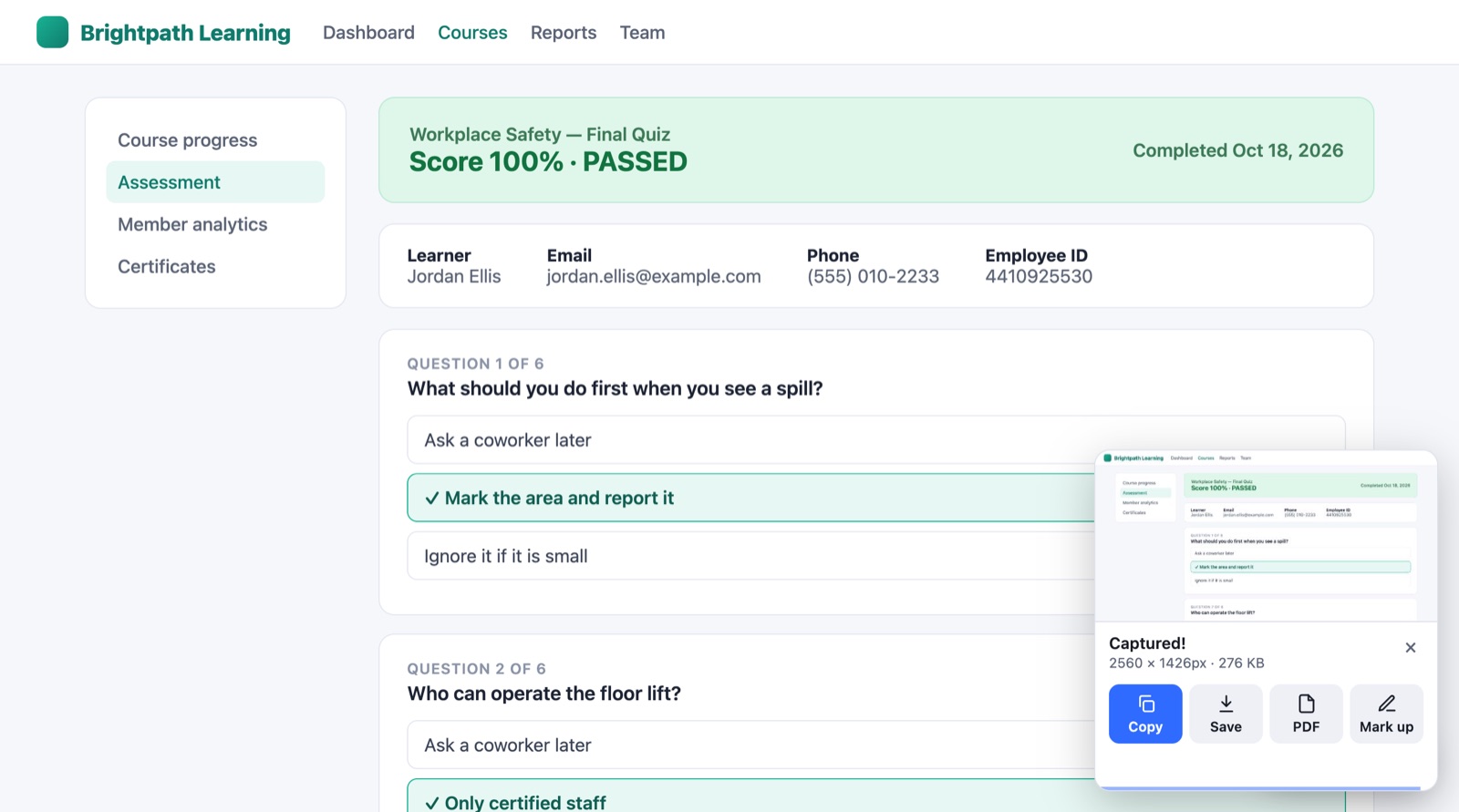
The moment a capture finishes, a small card shows up in the corner. Most of the time you just want to paste it somewhere, and now that's one click.
- Copy straight to your clipboard
- Save as PNG, JPG or PDF
- Open the editor only when you need it
Capture exactly the part you need
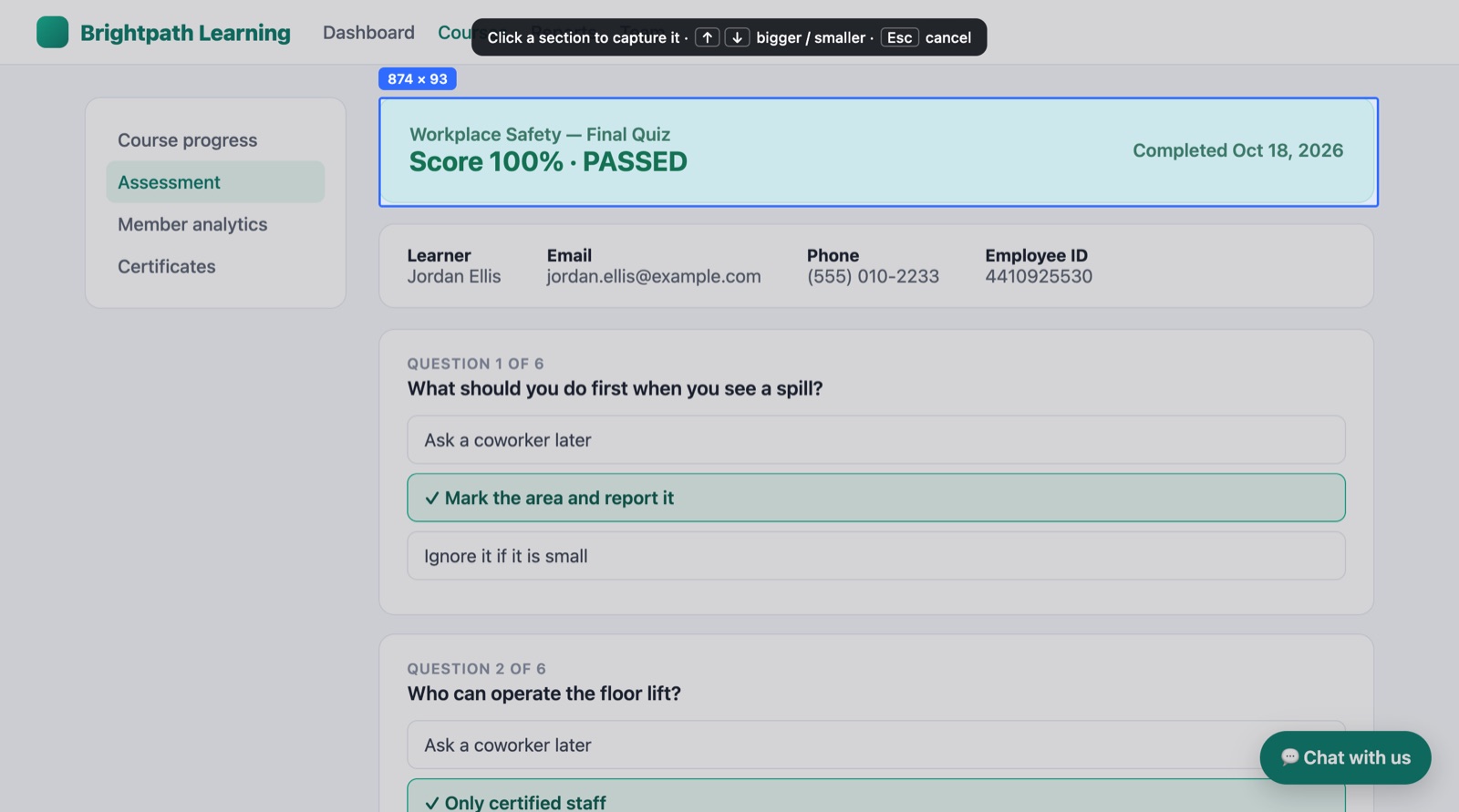
Hover over the page and ScrollCap outlines cards, tables and results. Click, and you get just that piece, cleanly cropped. Even sections taller than your screen.
- No more dragging boxes by hand
- Arrow keys make the selection bigger or smaller
- Shortcut: Alt + Shift + E
Share screenshots without sharing secrets
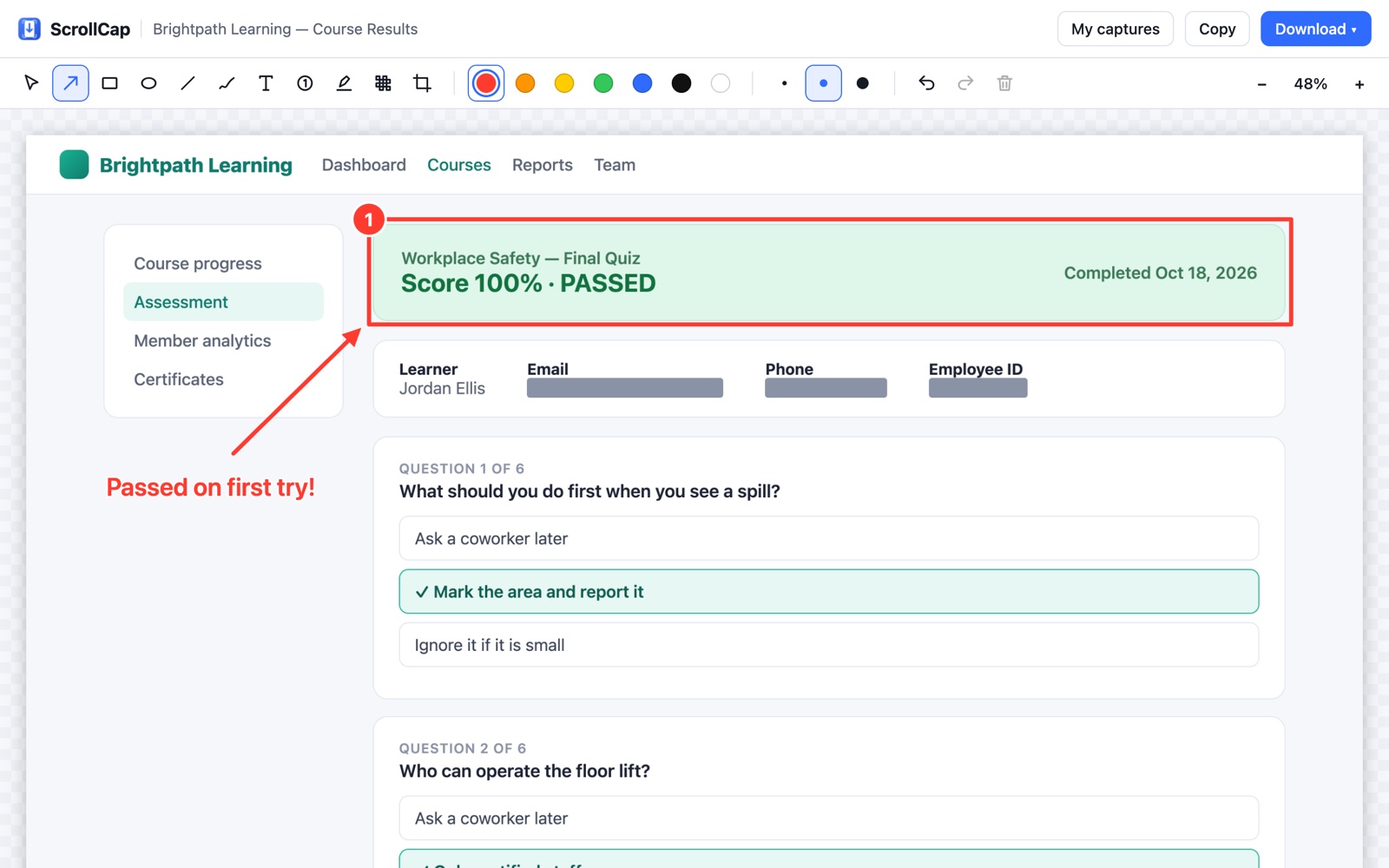
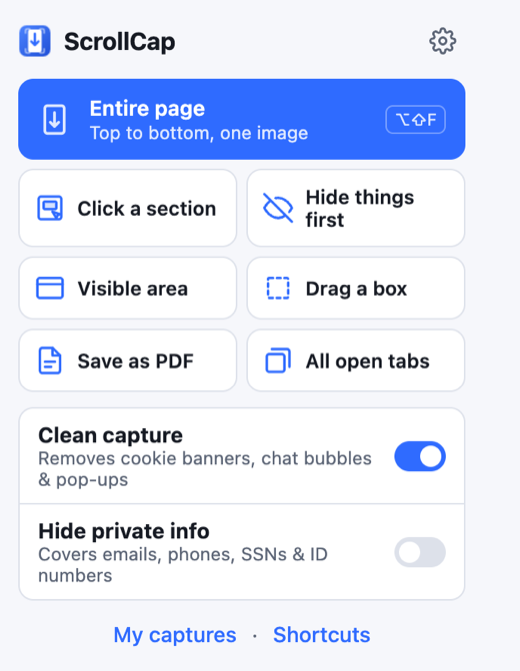
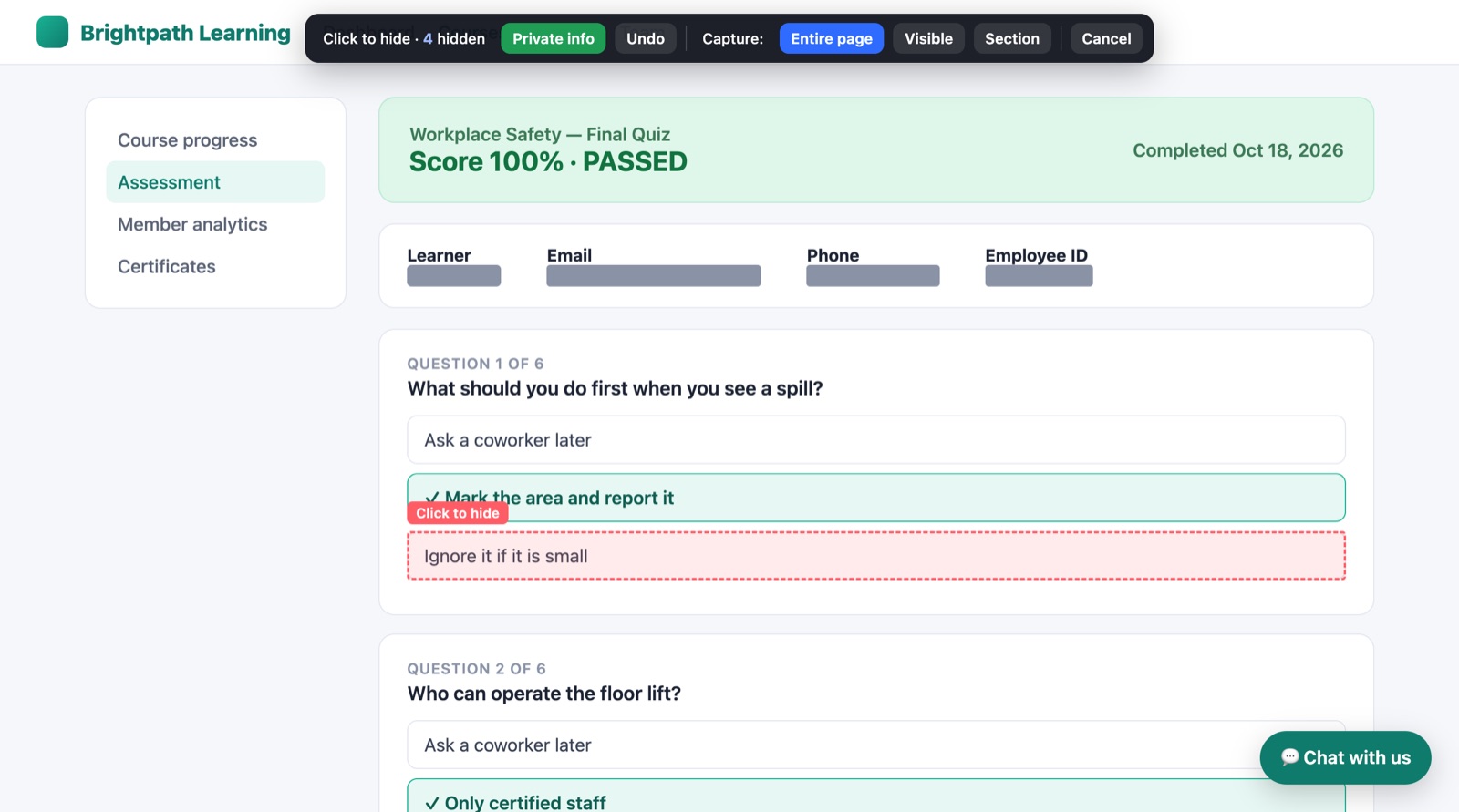
Click any name, photo or row to cover it with a solid bar before you capture. One button finds emails, phone numbers, SSNs and ID numbers for you.
- Solid bars, not blur, so hidden text can't be recovered
- See exactly what will be hidden before you capture
- The page goes back to normal right after
See the progress. Cancel any time.
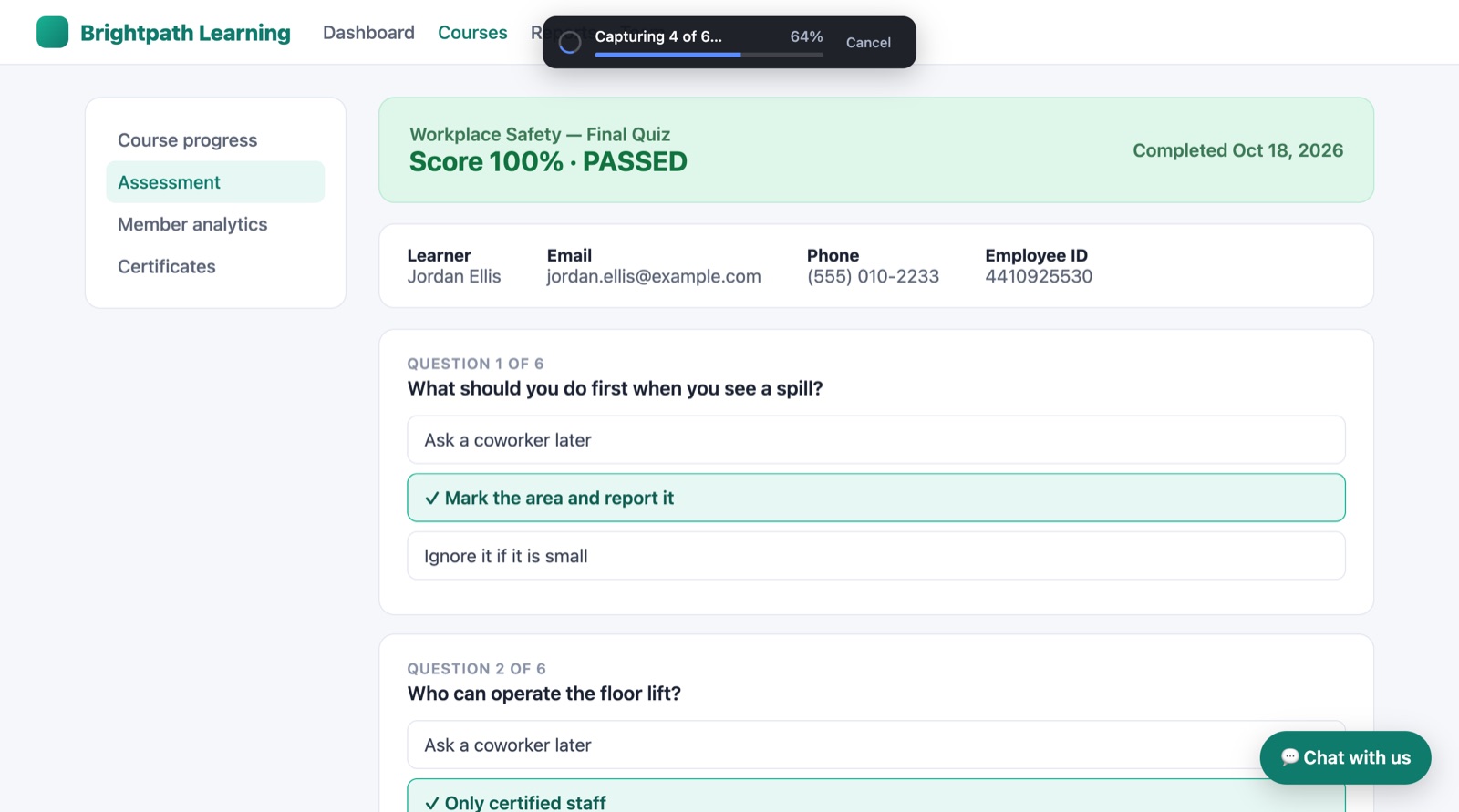
Long pages show a small progress bar while they capture, and pressing Esc stops it instantly. The bar never ends up in your picture.
- Clean capture removes cookie banners, chat bubbles and pop-ups
- Captures start at the top of the page, every time
- Your scroll position is put back afterward
All the tools, none of the hassle
Searchable PDFs
Real text you can select and search, with working links.
Built-in editor
Arrows, boxes, text, highlights, numbered steps, blur and crop.
All open tabs
Capture every tab in your window, top to bottom, in one go.
My captures
Every capture saved on your computer, searchable and re-editable.
Visible area & drag a box
Grab just what's on screen, or draw around what you want.
Keyboard shortcuts
Alt+Shift+F for the full page. No clicking required.
Right-click menu
Every capture option, right where you already click.
Chrome & Edge
Works the same in Google Chrome and Microsoft Edge.
Your captures never leave your computer
ScrollCap doesn't upload your screenshots, doesn't need an account, and doesn't track what you capture. It's a good fit for teams that handle sensitive information every day.
No uploads
Images are saved only in your browser on your computer.
No account
Install it and start capturing. Nothing to sign up for.
Real redaction
Solid bars replace private details, so nothing can be un-blurred.
Exact matching
It reads the page's own text, not a guess from the image.
Free to use. Upfront about the rest.
No surprise paywall after you capture a page. What's free is free, every time.
Free
Everything you need to capture, mark up and share.
- Unlimited full-page captures
- Click a section, visible area, drag a box
- Hide things first & clean capture
- Editor, PNG, JPG & searchable PDF
- My captures history
Pro
Smart features for people who capture all day.
- AI that explains or summarizes a capture
- Step-by-step guides built from your screenshots
- Scheduled captures with change alerts
- Shareable links
Pro pricing will always be shown upfront, before you ever capture a page.
Be first to try ScrollCap
ScrollCap is almost ready for the Chrome Web Store. Leave your email and we'll send you the install link the day it goes live. No spam, ever.
Questions, answered
Yes. Full-page captures, the editor, hiding private info, clean capture and PDF export are free with no limits. A Pro plan with AI features is coming later, and its price will always be shown upfront.
Google Chrome and Microsoft Edge on Windows and Mac.
No. Your captures are saved only in your browser on your own computer. There's no account and nothing is sent to us.
Yes. Many web apps keep the page still and scroll a panel instead, sometimes inside an embedded frame. ScrollCap finds that panel automatically and captures it top to bottom.
For the cleanest full-page pictures and real PDFs, ScrollCap briefly uses Chrome's built-in page renderer. Chrome shows that notice while it works, and it goes away as soon as the capture finishes.
PNG, JPG and PDF. Full-page PDFs keep real, searchable text and working links. You can also copy any capture straight to your clipboard.